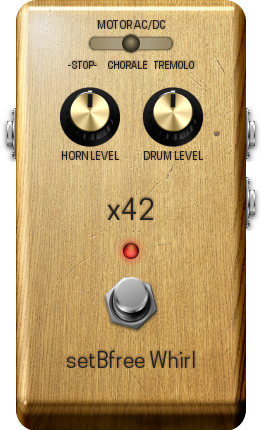
SetBfree Organ
v0.4.0setBfree tonewheel organ port for Akai MPC OS and Force
- Developer
- SamplingHigh
- Released
- November 15, 2026
- Versions
- 7
- Downloads
- 3,320
The free Akai MPC plugins we picked and checked by hand, with the downloads, the checksums and the install steps. They run on the Gen 1 and the Gen 2 MPCs: the Live, Live II, XL, One and Force, and the Live III, One Gen 2 and Key 37 Gen 2. They do not run on the MPC Sample: it has its own firmware, and the mods for it are on their own page.
1 plugin
setBfree tonewheel organ port for Akai MPC OS and Force
Looper for MPC
Picked, checked and written up by hand for this catalog.
Runs on the Gen 1 and the Gen 2 MPCs, on MPC OS 3.10.1 or newer. It does not run on the MPC Sample.
When the plugin has a build that runs on every MPC, take that one. It needs MPC OS 3.10.1 or newer.
Unzip the archive on your computer, then copy the plugin folder into the "VST2 Plugins" folder.
On MPC OS 3.10.1 and newer, external plugins only load when the enhancements are on. Go to Menu > Preferences > Enhancements, set Enable Enhancements to On and turn on the plugin support.
Open a track, load the plugin from the browser under Instrument or Effect plugins, and it appears with its own screen.
Looper by Slow Ops is a three-bank stereo looper for Akai MPC standalone. It captures 1, 2, 4 or 8 bars from a track in time with the MPC. You can overdub, start and stop banks on the beat, and use the built-in metronome.
!The LOOPS page on an MPC XL with two banks playing
The plugin is now called Looper. In 1.0 the MPC cut its name down to "Slow .ooper".
Slow Ops - VST - Slow Ops Looper folder from VST2 Plugins, then copy in the new Slow Ops - VST - Looper folder from the zip.Slow Ops - VST - Looper into a folder named VST2 Plugins at the top level of a USB drive, an SD card or the MPC's internal drive.The user guide has the details. The -mpc-armv7 and -mpc-aarch64 zips hold the same build, packaged for the open-mpc Plugin Manager and installers; a manual install doesn't need them.
Delete the plugin folder from the "VST2 Plugins" folder on the device. Move it out of the way instead of deleting it when you want to keep your own files, presets or samples that are inside it.

