Liminal Hz
v1.4.1Effect
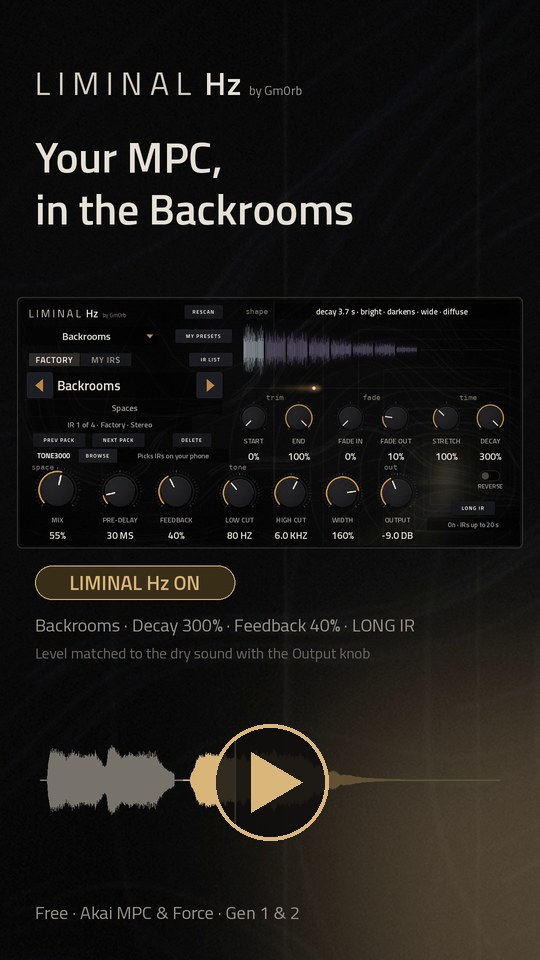
Liminal Hz for MPC OS - Convolution reverb plugin
- Developer
- gmorb
- Released
- November 13, 2026
- Versions
- 6
- Downloads
- 6,065
The free Akai MPC plugins we picked and checked by hand, with the downloads, the checksums and the install steps. They run on the Gen 1 and the Gen 2 MPCs, on MPC OS 3.10.1 or newer. Filter by type, developer, licence and tag.
These plugins run on the Gen 1 and the Gen 2 MPCs. That is the Live, Live II, XL, One and Force, and the Live III, One Gen 2 and Key 37 Gen 2. They need MPC OS 3.10.1 or newer, with the enhancements switched on. They do not run on the MPC Sample: that machine has its own firmware, and the mods built for it are on their own page.
3 plugins
Liminal Hz for MPC OS - Convolution reverb plugin
Complex drone synth - based on COSM Chips: 2x NAND gates, 1x 4093 Ocillator, 1x twin-555 timer, 2x 4017 shiftregisters
A NAM A2 head and IR cab for MPC (Akai Force / MPC OS)
Three-head tape echo for Akai MPC and Force standalone: 12 head modes, three preamp characters, tape wear, tempo sync, spring reverb and a companion screen in the browser
Picked, checked and written up by hand for this catalog.
Runs on the Gen 1 and the Gen 2 MPCs, on MPC OS 3.10.1 or newer. It does not run on the MPC Sample.
When the plugin has a build that runs on every MPC, take that one. It needs MPC OS 3.10.1 or newer.
Unzip the archive on your computer, then copy the plugin folder into the "VST2 Plugins" folder.
On MPC OS 3.10.1 and newer, external plugins only load when the enhancements are on. Go to Menu > Preferences > Enhancements, set Enable Enhancements to On and turn on the plugin support.
Open a track, load the plugin from the browser under Instrument or Effect plugins, and it appears with its own screen.
Two visible fixes, one honesty fix.
Companion page: the tape heads were not centred. They were mapped from the raw delay ratios onto the whole ribbon, so the first third of the tape stayed empty and all three heads were pushed right. Pulses now travel in delay units and are mapped when drawn (tapeU()): the heads sit at 12 / 51 / 88 % with equal margins, and head 1 is still struck after exactly one delay — the timing did not change, only the spacing.
The pairing QR is now on the device screen. The plugin has always served /qr.svg, but the on-screen code was never drawn. redeploy.sh now generates a plate at deploy time (the address is the device's, and DHCP moves it) and injects it into the CHARACTER page, bottom-left, as a cream label with a gold hairline. tools/qr_tab.py gained --at X,Y / --size for an explicit spot.
The published source now matches the published binary. The 1.0.2 zip served /qr.svg, but src/dsp/companion.cpp in this repo had neither the endpoint nor qrcodegen. Both are here now, together with the test link lines that compile them.
/state from the new instance, /qr.svg serves 2347 bytes, and the loaded .so is 010b4fdee4e5693c70567e4c39a55129.Thanks again to VADER (sunskiefer/L'Cronx) for the companion-screen idea.
Delete the plugin folder from the "VST2 Plugins" folder on the device. Move it out of the way instead of deleting it when you want to keep your own files, presets or samples that are inside it.
| Version | Released | Downloads | Checksums | Download |
|---|---|---|---|---|
| 1.0.3 | 2026-11-11 | 934 | 32-bit (armv7) | |
| 1.0.2 | 2026-11-02 | 338 | 32-bit (armv7) | |
| 1.0.1 | 2026-10-31 | 282 | 32-bit (armv7) |